


If you are planning to create a WordPress website, one of the first confusing questions you may encounter is:
Should I use WordPress.com or WordPress.org?
The names are almost identical, and both are connected to the WordPress software, but they represent different approaches to creating and hosting a WordPress website.
The simplest difference is this:
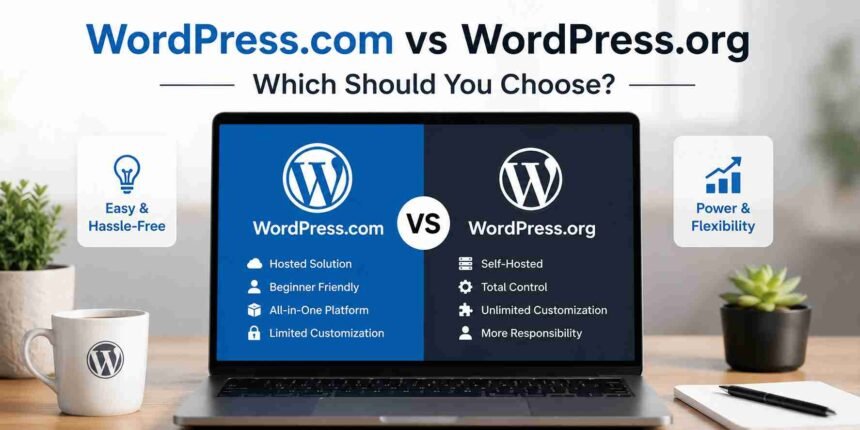
WordPress.com is a hosted platform where managed hosting is included, while WordPress.org is the home of the open-source WordPress software that you can install with a hosting provider of your choice.
With WordPress.com, much of the technical hosting environment is managed for you. With self-hosted WordPress, you choose your own hosting provider and generally take greater responsibility for managing your website environment.
Neither option is automatically right for everyone.
In this guide, we will compare WordPress.com vs WordPress.org in detail so you can understand the differences and choose the right approach for your website.
WordPress.com vs WordPress.org: Quick Comparison
Here is a simplified comparison before we examine each difference in detail.
| Feature | WordPress.com | WordPress.org |
|---|---|---|
| Hosting | Included | Purchased separately |
| WordPress software | Included | Free to download |
| Initial setup | Generally easier | Depends on your host |
| Hosting management | Managed for you | You or your host manage it |
| Themes | Available | Broad freedom to install themes |
| Plugins | Availability depends on the current plan and platform features | Broad freedom to install compatible plugins |
| Technical control | Depends on your plan and platform environment | Generally greater |
| Maintenance | More is handled by the platform | More responsibility falls on you and your host |
| Customization | Depends on available features and plan | Highly flexible |
| Best for | Users wanting a managed experience | Users wanting maximum hosting choice and control |
The most important thing to understand is that both approaches use WordPress.
The major difference is how your WordPress website is hosted and managed.
What Is WordPress.org?
WordPress.org is the home of the open-source WordPress project and the WordPress software that can be downloaded and installed on a compatible web server.
This approach is commonly called self-hosted WordPress.
The word “self-hosted” can be slightly misleading for beginners. It does not necessarily mean that you need to own a physical server sitting beside your desk humming ominously.
In most cases, you simply:
- Register a domain name.
- Purchase a hosting plan.
- Install WordPress through your hosting provider.
- Manage your website through the WordPress dashboard.
Many hosting companies provide automated WordPress installation, so you may not need to download and upload the software manually.
The main advantage of this approach is flexibility.
You can choose your hosting provider and have broad control over how your WordPress website is configured.
What Is WordPress.com?
WordPress.com is a hosted service built around WordPress.
Instead of finding a separate hosting company and installing WordPress yourself, you create your website directly through the WordPress.com platform.
Hosting is included as part of the service.
The platform manages many technical aspects of the hosting environment, making it an attractive option for users who prefer a more managed website-building experience.
WordPress.com offers different plans and features for different types of websites. The functionality available to you can therefore depend on the plan and current service offering you choose.
This distinction is important because many older comparisons describe WordPress.com as though every user receives exactly the same restrictions.
That is no longer an accurate way to evaluate the platform.
The Biggest Difference: Who Handles the Hosting?
Hosting is the clearest difference between WordPress.com and self-hosted WordPress.
With WordPress.com
- Your hosting is built into the service.
- You do not need to separately find a hosting provider just to make your website available online.
- The platform handles much of the underlying hosting infrastructure and related technical management.
With WordPress.org
- The WordPress software itself does not include hosting.
- You need a compatible hosting environment where WordPress can be installed.
- This means you can choose from different hosting companies, plans, server configurations, and levels of managed service.
- Some hosts provide highly managed WordPress hosting, while others give you much more responsibility.
Therefore, using WordPress.org does not automatically mean doing every technical task yourself. Your experience can vary significantly depending on the hosting provider and plan you choose.
WordPress.com vs WordPress.org: Cost
The cost comparison is more complicated than simply saying that one option is free and the other is paid.
WordPress.com Costs
- WordPress.com offers different service levels, and the features available can vary according to the plan you choose.
- Depending on your requirements, your costs may include upgrades for additional functionality, services, or features.
WordPress.org Costs
- The open-source WordPress software is free to download and use.
- However, operating a self-hosted website normally involves other expenses, including:
- Web hosting
- Domain registration
- Premium themes, if you choose one
- Premium plugins, if required
- Professional development, if required
- Maintenance services, if you outsource them
Your total cost therefore depends heavily on the type of website you are building.
A small personal website and a high-traffic e-commerce store have completely different infrastructure requirements.
Which Is Cheaper?
- There is no universal winner.
- The better question is:
Which option provides the features and level of management you need at a cost that fits your budget?
Always compare the current plans and features before making a decision because pricing and plan structures can change.
WordPress.com vs WordPress.org: Ease of Use
Both options provide access to WordPress-based website management, but the setup experience can differ.
WordPress.com
WordPress.com simplifies many hosting-related decisions.
You can create an account, choose your website setup, and begin building without separately configuring a traditional hosting account.
This can make the initial experience more approachable for beginners who do not want to think about servers, hosting configurations, or manual installations.
WordPress.org
Self-hosted WordPress introduces an additional decision: choosing a hosting provider.
However, many modern WordPress hosts provide:
- One-click installation
- Automatic updates
- Backups
- Security tools
- Staging environments
- Performance features
As a result, self-hosted WordPress can also be relatively easy to set up when paired with a beginner-friendly hosting provider.
WordPress.com vs WordPress.org: Themes and Design
Themes control much of the visual presentation of a WordPress website.
WordPress.com
You can use themes and design tools available within the WordPress.com ecosystem.
The exact customization options available can depend on the features provided by your current plan and the type of theme you are using.
WordPress.org
With self-hosted WordPress, you generally have broad freedom to install compatible themes.
You can use:
- Free WordPress themes
- Premium themes
- Custom themes
- Block themes
- Classic themes
Developers can also create or modify themes according to a project’s requirements.
For users who want extensive control over their website’s design and code, self-hosted WordPress is often attractive because of this flexibility.
WordPress.com vs WordPress.org: Plugins
Plugins add or modify functionality in WordPress.
This is an area where you should be careful with outdated comparisons.
Some older guides state that WordPress.com users simply cannot install plugins. The current platform offers broader capabilities than those older descriptions suggest, and plugin availability can depend on the current WordPress.com offering and plan.
With self-hosted WordPress, you generally have broad freedom to install compatible plugins from the WordPress plugin ecosystem or other trusted sources.
Plugins can add functionality such as:
- Contact forms
- SEO tools
- Security features
- Backups
- Performance optimization
- Membership systems
- E-commerce functionality
Regardless of which approach you choose, you should install plugins carefully.
Poorly maintained or incompatible plugins can cause security, performance, and compatibility problems.
WordPress.com vs WordPress.org: Website Control
Control is one of the biggest reasons many users choose self-hosted WordPress.
With WordPress.org software installed on your chosen hosting environment, you generally have greater control over:
- Hosting providers
- Server resources
- Website files
- Databases
- Themes
- Plugins
- Custom code
- Development workflows
Your exact level of server access can still depend on your hosting provider.
WordPress.com provides a managed environment. This can reduce the amount of technical work required, but your available controls and development options depend on the platform and plan you use.
This creates a fundamental trade-off:
More management handled for you versus more direct control over your environment.
WordPress.com vs WordPress.org: Maintenance
Every website requires some form of maintenance.
The difference is who handles which parts.
WordPress.com Maintenance
Because WordPress.com provides managed hosting, many infrastructure-related responsibilities are handled as part of the service.
This reduces the number of technical hosting tasks website owners need to manage themselves.
Self-Hosted WordPress Maintenance
With self-hosted WordPress, responsibilities can include:
- Keeping WordPress updated
- Updating themes
- Updating plugins
- Creating backups
- Monitoring security
- Managing performance
- Troubleshooting compatibility problems
However, the amount of work you personally perform depends heavily on your hosting setup.
A managed WordPress hosting provider may handle several infrastructure and maintenance tasks for you.
Therefore, “self-hosted” should not automatically be interpreted as “completely unmanaged.”
WordPress.com vs WordPress.org for SEO
Both approaches can be used to create websites that search engines can discover and index.
SEO performance is not determined simply by whether a website uses WordPress.com or self-hosted WordPress.
Factors such as the following matter significantly:
- Content quality
- Website structure
- Crawlability
- Page speed
- Mobile usability
- Internal linking
- Technical configuration
- Backlinks
The main difference is the level of control you may have over your SEO setup and tools.
Self-hosted WordPress generally provides broad flexibility to choose SEO plugins, hosting configurations, performance tools, and custom technical implementations.
The options available on WordPress.com depend on its current features and the plan being used.
For advanced SEO requirements, consider exactly which technical capabilities you need rather than choosing a platform based solely on generic claims that one is “better for SEO.”
WordPress.com vs WordPress.org for Monetization
If you plan to make money from your website, consider your monetization model before choosing a platform.
Your website might eventually generate revenue through:
- Advertising
- Affiliate marketing
- Digital products
- Physical products
- Memberships
- Subscriptions
- Services
- Sponsored content
Self-hosted WordPress generally provides extensive flexibility for implementing different monetization systems.
WordPress.com also supports different website and commerce use cases, but the options available to you can depend on the platform’s current plans, policies, and features.
If monetization is central to your business model, check the exact current requirements for the tools you plan to use before choosing either option.
WordPress.com vs WordPress.org for E-commerce
Both approaches can potentially be used for e-commerce, but the right choice depends on the scale and complexity of your store.
Before deciding, consider:
- The products you want to sell
- Payment methods
- Shipping requirements
- Required extensions
- Subscription functionality
- Membership features
- Custom development requirements
- Expected traffic
Self-hosted WordPress can provide extensive flexibility when you need control over your hosting environment and e-commerce configuration.
A managed platform can be attractive when you prefer more of the underlying technical environment to be handled for you.
The correct choice depends on the actual requirements of your store.
WordPress.com vs WordPress.org for Beginners
For a complete beginner, WordPress.com can provide a more managed starting experience because hosting is already integrated into the platform.
You have fewer infrastructure decisions to make at the beginning.
However, beginners should not automatically avoid self-hosted WordPress.
Many modern hosting providers simplify installation and maintenance significantly.
A beginner who wants greater long-term control may therefore prefer starting with self-hosted WordPress rather than migrating later.
The decision comes down to your priorities.
Choose a more managed approach if you value simplicity and reduced hosting management.
Choose self-hosted WordPress if you value hosting choice, flexibility, and greater control over your website environment.
Which One Should You Choose?
Here is a simple way to make your decision.
Consider WordPress.com if:
- You want hosting included with the platform.
- You prefer a more managed setup.
- You want to reduce your involvement in hosting administration.
- The current WordPress.com plan you choose provides all the functionality your website requires.
Consider self-hosted WordPress if:
- You want to choose your own hosting provider.
- You want broad flexibility over themes and plugins.
- You expect to make extensive customizations.
- You want greater control over your website files and technical environment.
- You are comfortable managing more aspects of your website or paying a provider to manage them.
For users following the tutorials on this website, most of our technical guides will primarily focus on self-hosted WordPress unless we specifically state otherwise.
This is because self-hosted installations give us a consistent environment for teaching WordPress administration, plugins, themes, files, databases, troubleshooting, and advanced customization.
Whenever a tutorial also applies to WordPress.com, we will explain any important differences.
Can You Move From WordPress.com to Self-Hosted WordPress?
Yes, it is possible to move website content from one WordPress environment to another.
However, a migration can involve more than simply moving posts.
Depending on your website, you may also need to consider:
- Domain configuration
- Themes
- Plugins
- Media files
- Menus
- Widgets
- Redirects
- SEO settings
- Subscribers
- Custom functionality
The complexity depends on how your original website was built.
We will cover WordPress migration in dedicated step-by-step tutorials later in this series.
Frequently Asked Questions
Are WordPress.com and WordPress.org the same company?
No. WordPress is an open-source software project, while WordPress.com is a commercial hosted service operated by Automattic.
Do WordPress.com and WordPress.org use the same WordPress software?
Both are based on WordPress, but the hosting and management models are different.
Is WordPress.org free?
The open-source WordPress software is free to download and use. You will normally need to pay for hosting and may also have other costs such as a domain, premium themes, or premium plugins.
Do I need separate hosting for WordPress.com?
No. Hosting is included with the WordPress.com service.
Do I need hosting for WordPress.org?
Yes. To make a self-hosted WordPress website publicly accessible, you need a suitable hosting environment.
Can I install plugins on WordPress.com?
Plugin availability depends on WordPress.com’s current plans and features. Check the current plan details before choosing a subscription if a particular plugin is essential to your website.
Can I install plugins on self-hosted WordPress?
Generally, yes. Self-hosted WordPress gives administrators broad freedom to install compatible plugins, although individual hosting providers may impose certain restrictions for security or performance reasons.
Which is better for a professional website?
Either approach can support professional websites. The better option depends on how much control, customization, technical management, and hosting flexibility your project requires.
Which option will our tutorials use?
Most tutorials on this website will use self-hosted WordPress as the primary reference environment. When WordPress.com works differently, we will point out the relevant differences.
Final Verdict
WordPress.com and WordPress.org are not two completely different website-building systems. Both are connected to the WordPress ecosystem, but they provide different approaches to hosting and managing a WordPress website.
WordPress.com provides a managed hosting environment that can simplify many technical responsibilities.
WordPress.org gives you access to the open-source WordPress software, which you can install with a hosting provider of your choice for greater control over your website environment.
For users who prioritize convenience and managed hosting, WordPress.com may be the better fit.
For users who want greater hosting choice, flexibility, and technical control, self-hosted WordPress is often the preferred approach.
Now that you understand which type of WordPress setup you can use, the next step is getting your website online.
In the next tutorial, we will show you how to install WordPress step by step, including the easiest installation methods for beginners.


